myRealPage is a real estate SaaS platform built for agents and brokerages. The challenge was to consolidate listings management, client communication, and property detail viewing into a single, frictionless experience.
Agents were switching between multiple tools to manage leads, update listings, and share property details with clients, costing time and creating gaps in the workflow.
Designed a clean admin dashboard with a persistent sidebar nav, filtering by listing status, and a detailed property view that surfaces everything an agent or buyer needs: specs, documents, floor plans, mortgage calculator, and scheduling, all on one screen.
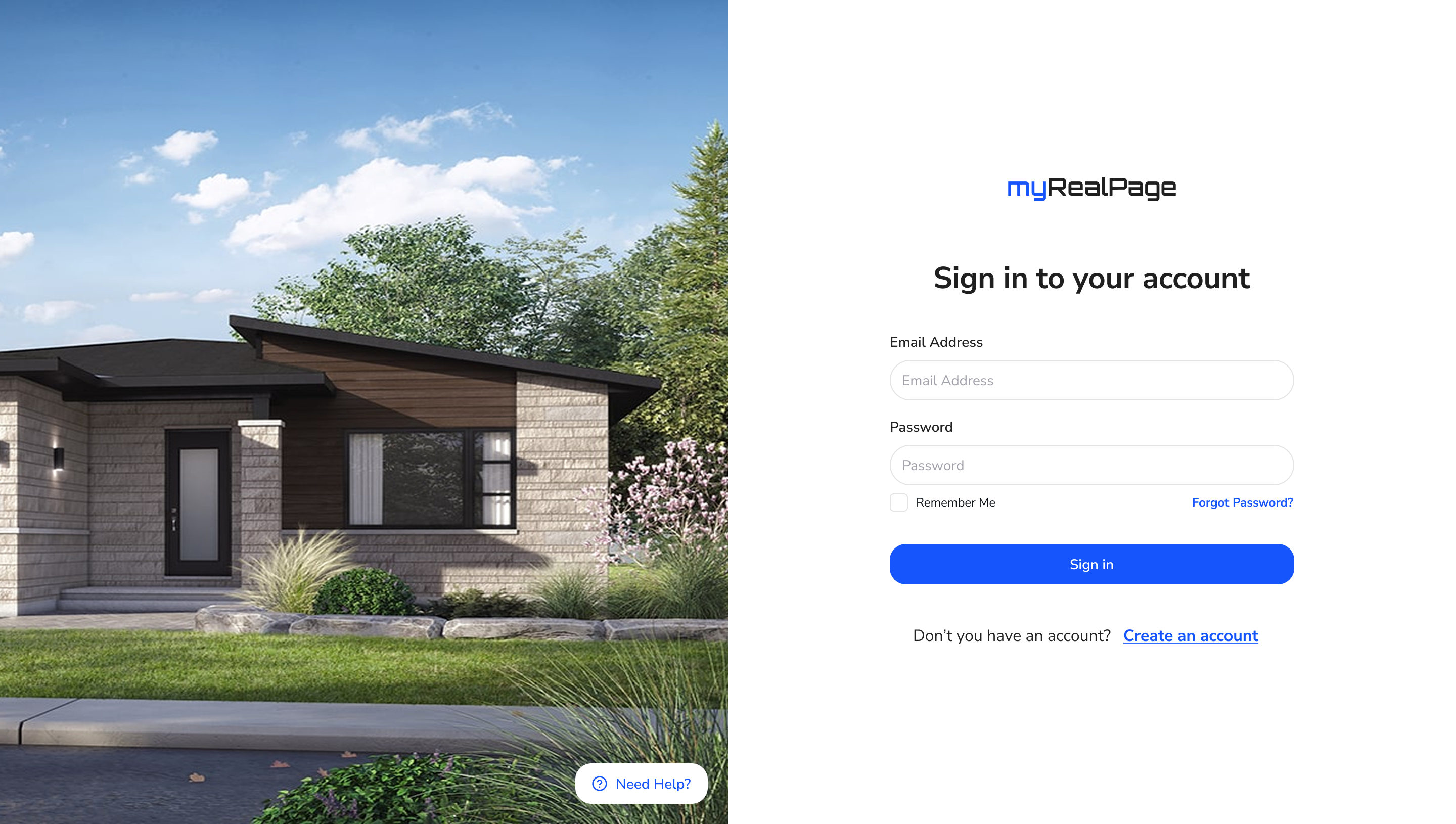
A split-screen sign-in sets the premium tone from the first interaction, and the listings grid makes scanning and managing properties fast and intuitive.
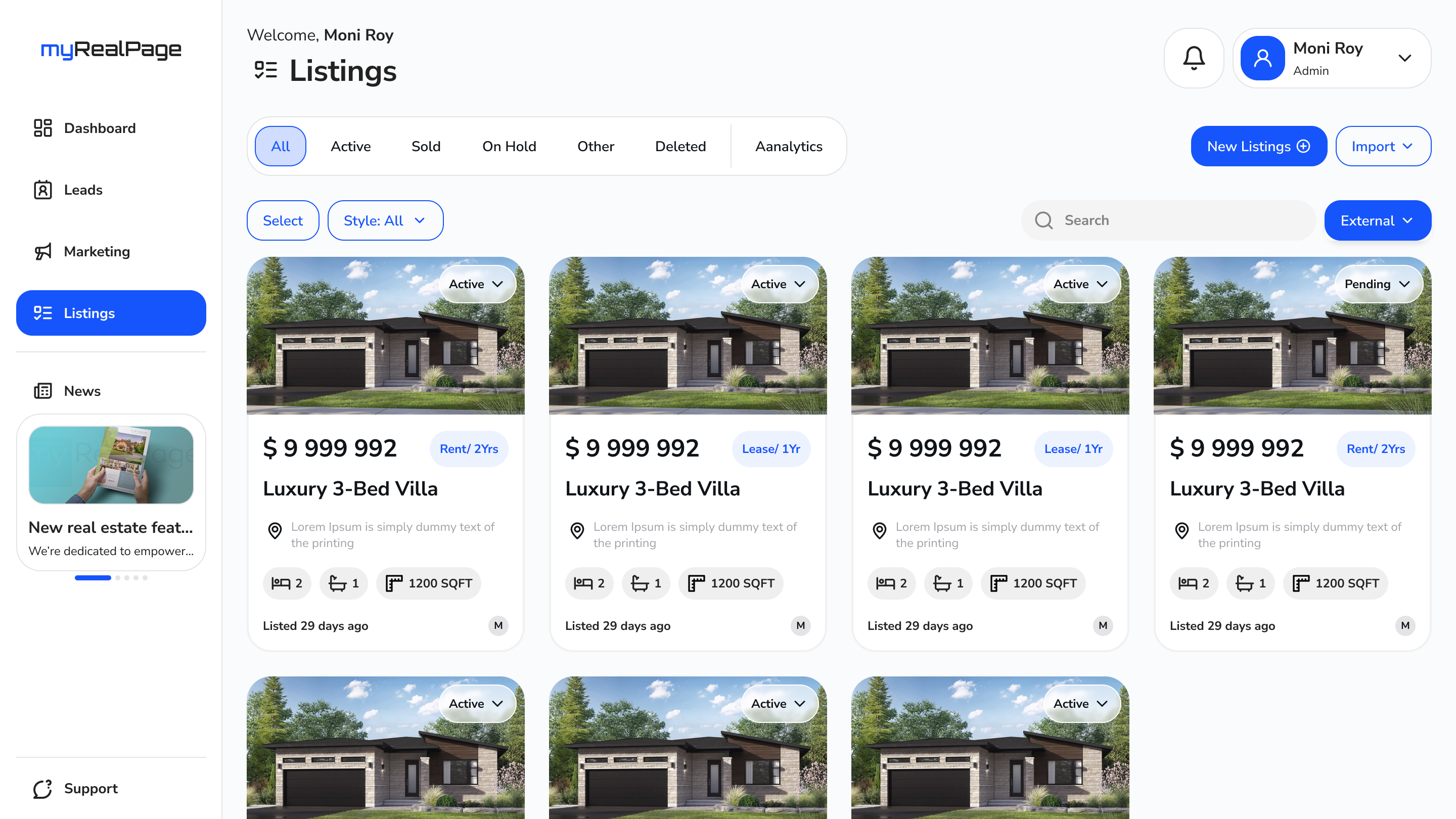
All active, sold, and on-hold properties in a responsive card grid, with status badges, price, and quick details visible at a glance.
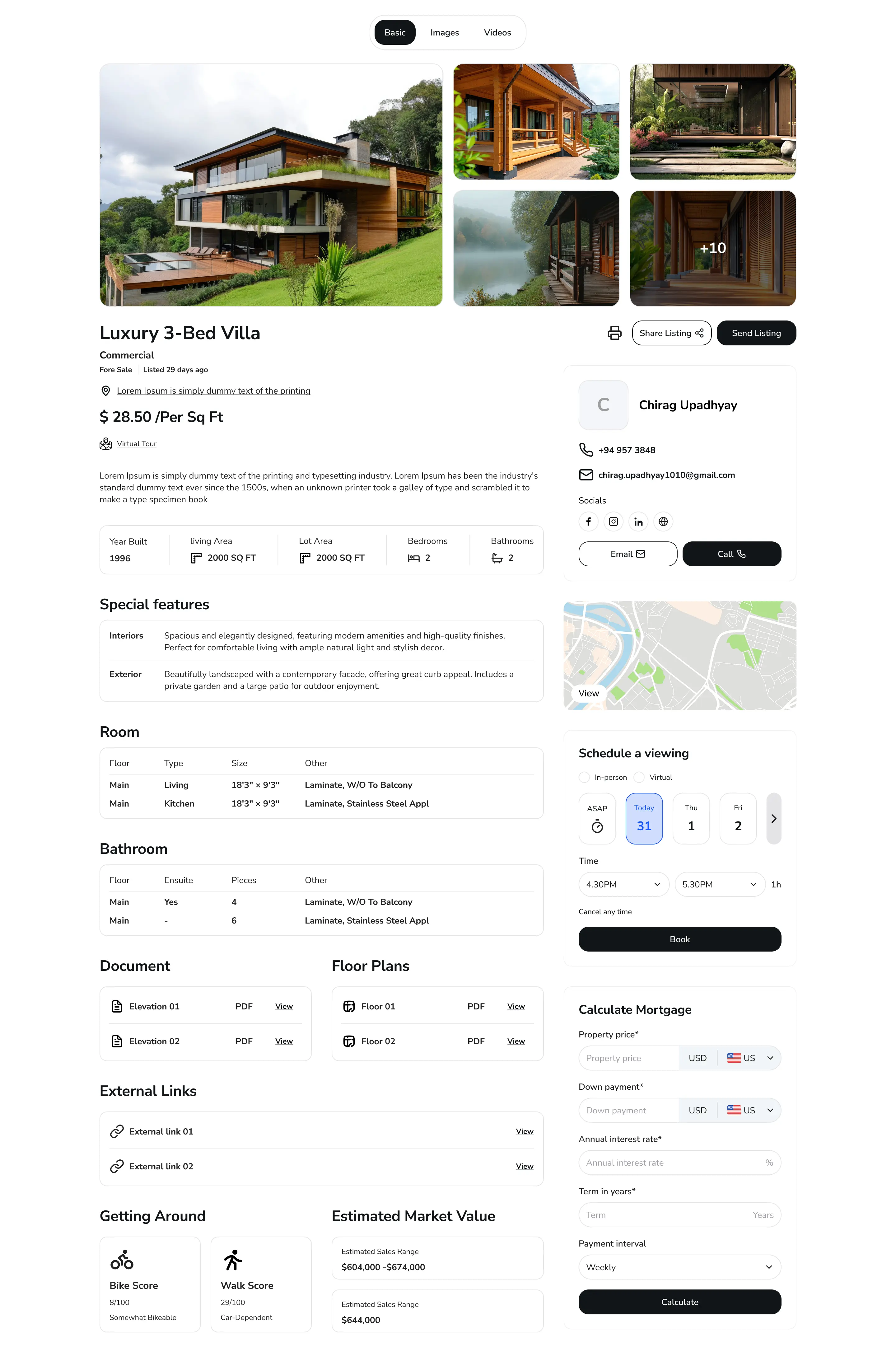
A comprehensive property view with specs, features, room data, bathroom details, documents, floor plans, and external links all in one scrollable page.
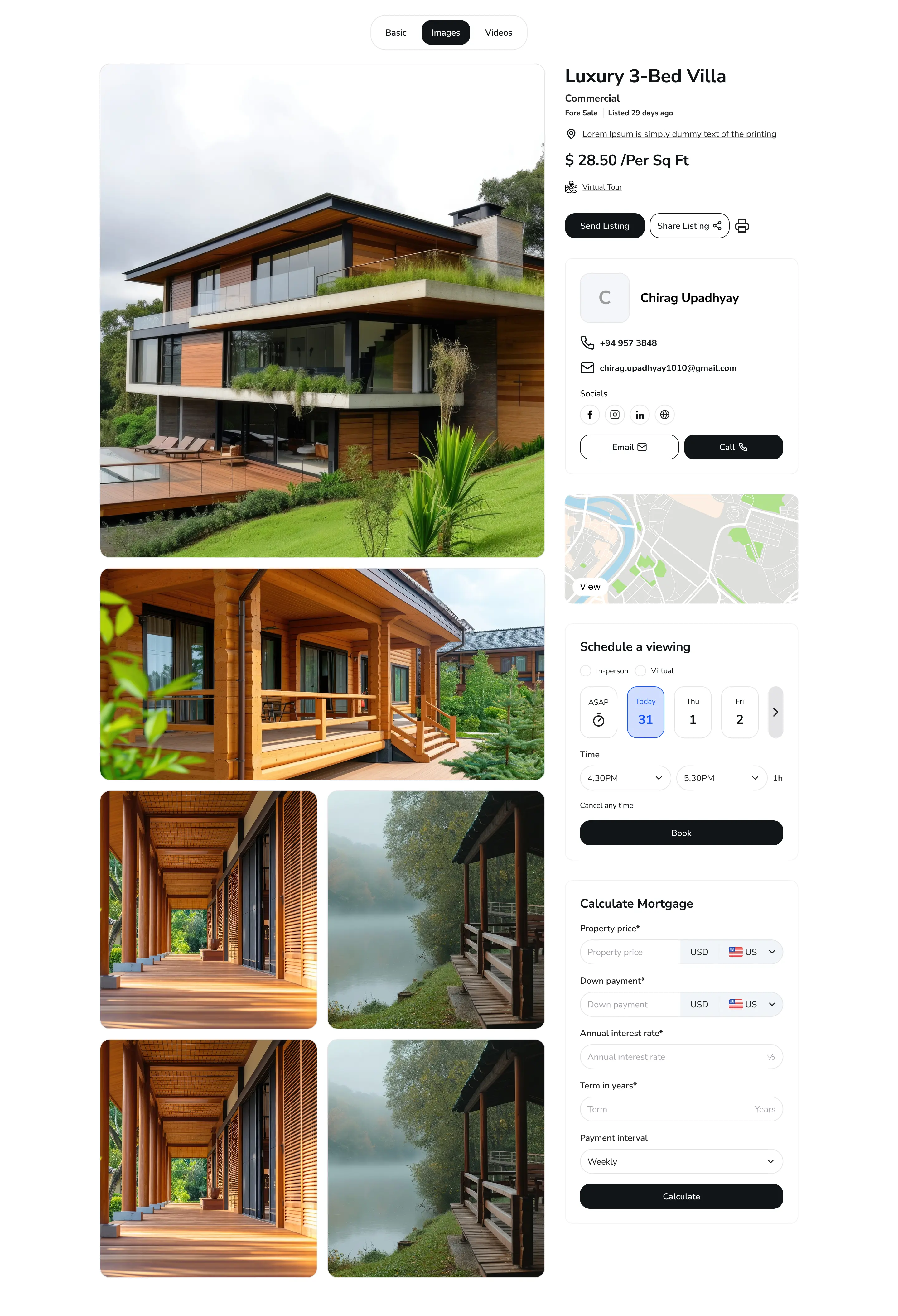
A dedicated images tab with a full-width hero photo and a stacked gallery below, giving buyers a rich visual walkthrough of the property.
In-person and virtual viewing options with a date picker and time slot selector, letting clients book directly from the listing page.
Built-in calculator with property price, down payment, interest rate, term, and payment interval inputs, so clients can crunch numbers without leaving the page.
Each listing is linked to an agent card with contact details, social links, and one-tap email and call buttons, making outreach instant.
A split-screen login: house photography fills the left half while the right holds a clean, minimal sign-in form. Sets a premium, trustworthy first impression before the agent ever touches the dashboard.
The main workspace: a sidebar nav on the left, a full-width listings grid on the right. Status tabs (All, Active, Sold, On Hold) let agents filter instantly. Each card shows price, lease type, address, specs, and listing age.
All the information a buyer or agent needs, in one place. Photo grid at the top, then price, description, specs table, special features, room and bathroom breakdowns, documents, floor plans, getting around scores, and estimated market value, with the agent card and scheduling panel pinned to the right.
Switching to the Images tab reveals a full-width hero photo followed by a stacked two-column gallery. The agent sidebar stays in place so buyers can reach out the moment a photo lands the sale.