UI/UX · Web App Design · AI · 2023

Create Videos,
Instantly.

Concept ✓ Figma Web App AI Video Creation Short-Form
Role
UI/UX Designer
Type
Web Application
Timeline
2023
Status
Concept Design
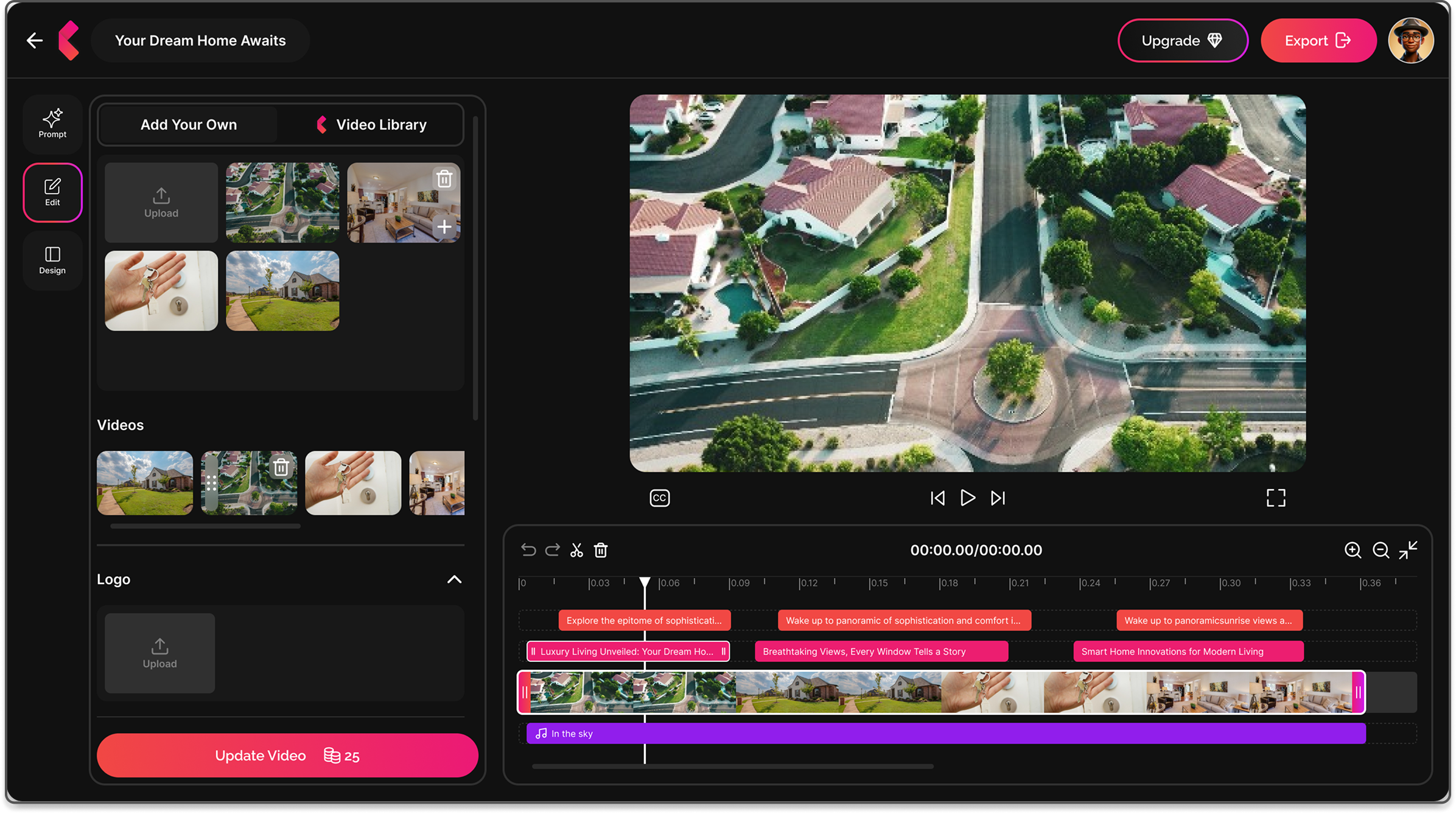
PinkFlicks screens overview

AI Video, SIMPLIFIED.

The Idea

Creating short-form content takes time most people do not have. Editing, captioning, cutting, and formatting for different platforms is a job on its own.

PinkFlicks removes all of that. Upload your clips, describe the vibe, and the AI builds the video. No editing skills needed. No timeline to drag around.

The Approach

Three focused screens cover the whole journey: a prompt screen for uploading and setting the style, an edit screen for fine-tuning, and an export screen for saving and sharing.

Dark UI with a bold pink and red gradient as the brand accent. Designed to feel powerful but approachable. The whole flow from upload to finished video takes under 5 minutes.

From Clip to REEL.

3
Core screens: prompt, edit, and export
AI
Fully automated video generation, no editing needed
5m
Target time from upload to finished short-form video
3
Output formats: Reels, TikTok, and YouTube Shorts
★ User Flow

How it WORKS.

01

Prompt

  • Upload clips
  • Write a prompt
  • Pick a style
  • Set aspect ratio
02

Generate

  • AI builds the video
  • Auto captioning
  • Music matched to vibe
03

Preview

  • Watch before export
  • Check captions
  • Review timing
04

Edit

  • Swap clips
  • Edit captions
  • Replace audio
  • Upload logo
05

Export

  • Save to device
  • Share direct
  • Choose format
★ Design

Prompt Screen

Where users upload clips, write a prompt, and set the style. One screen, all the inputs the AI needs.
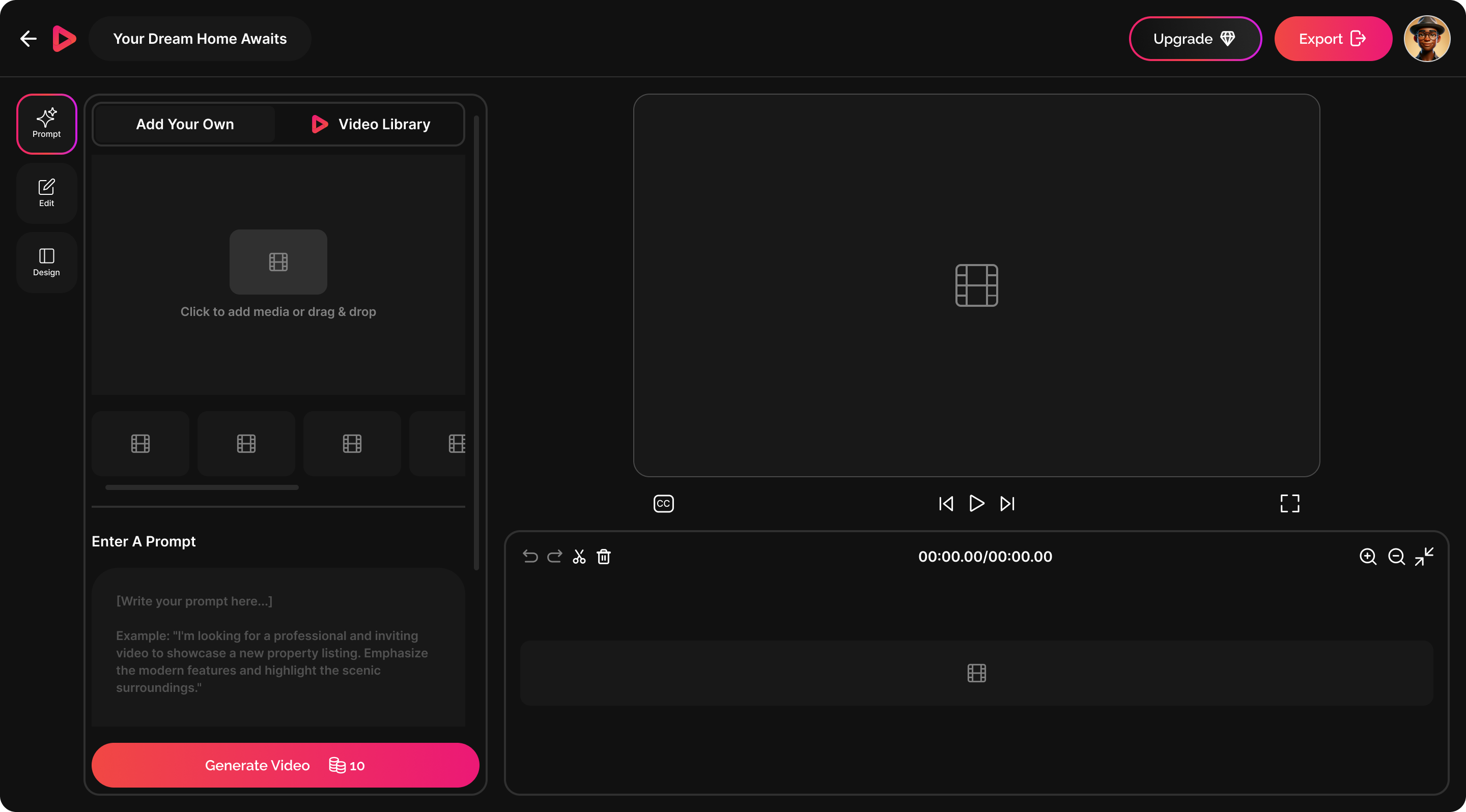
Prompt screen

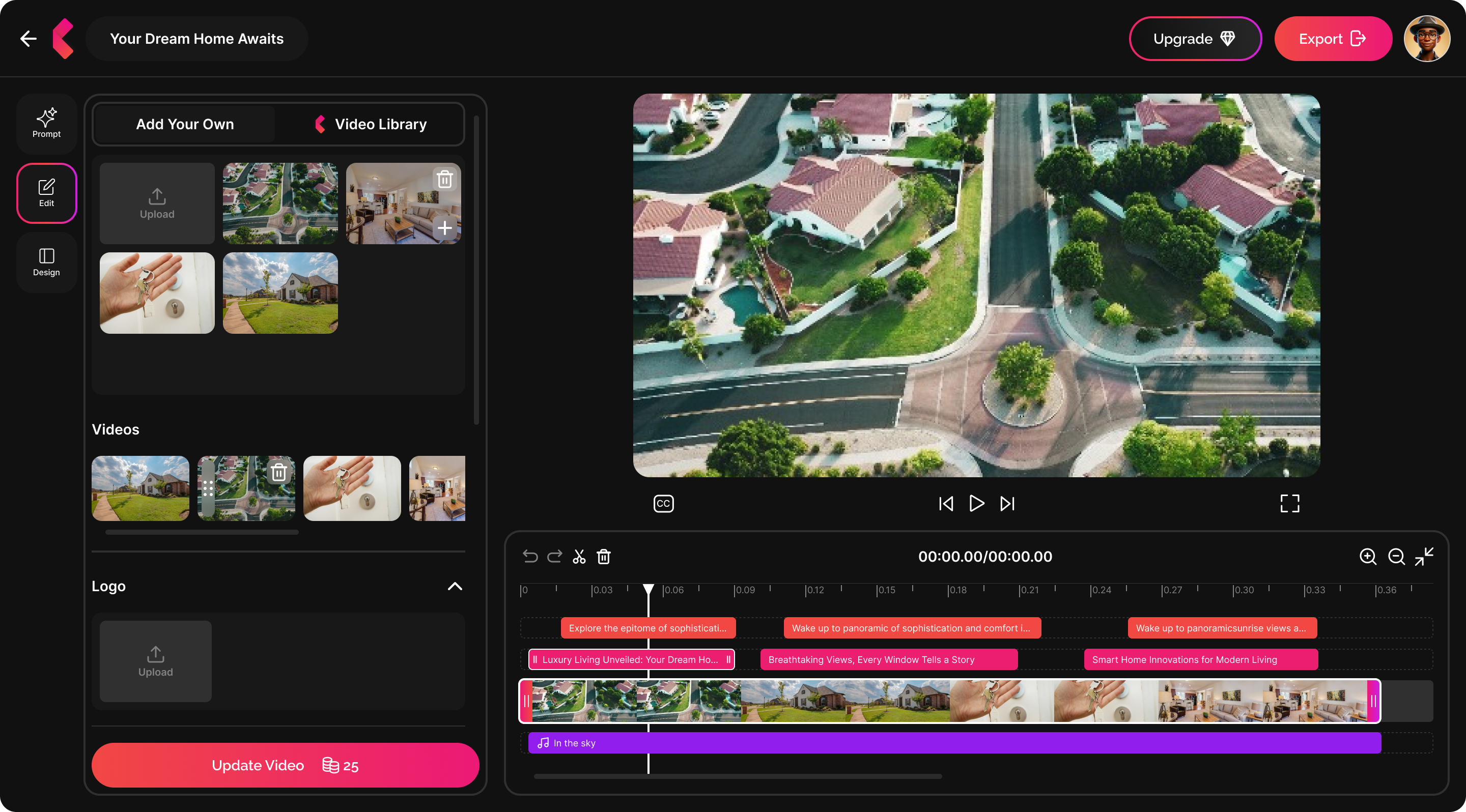
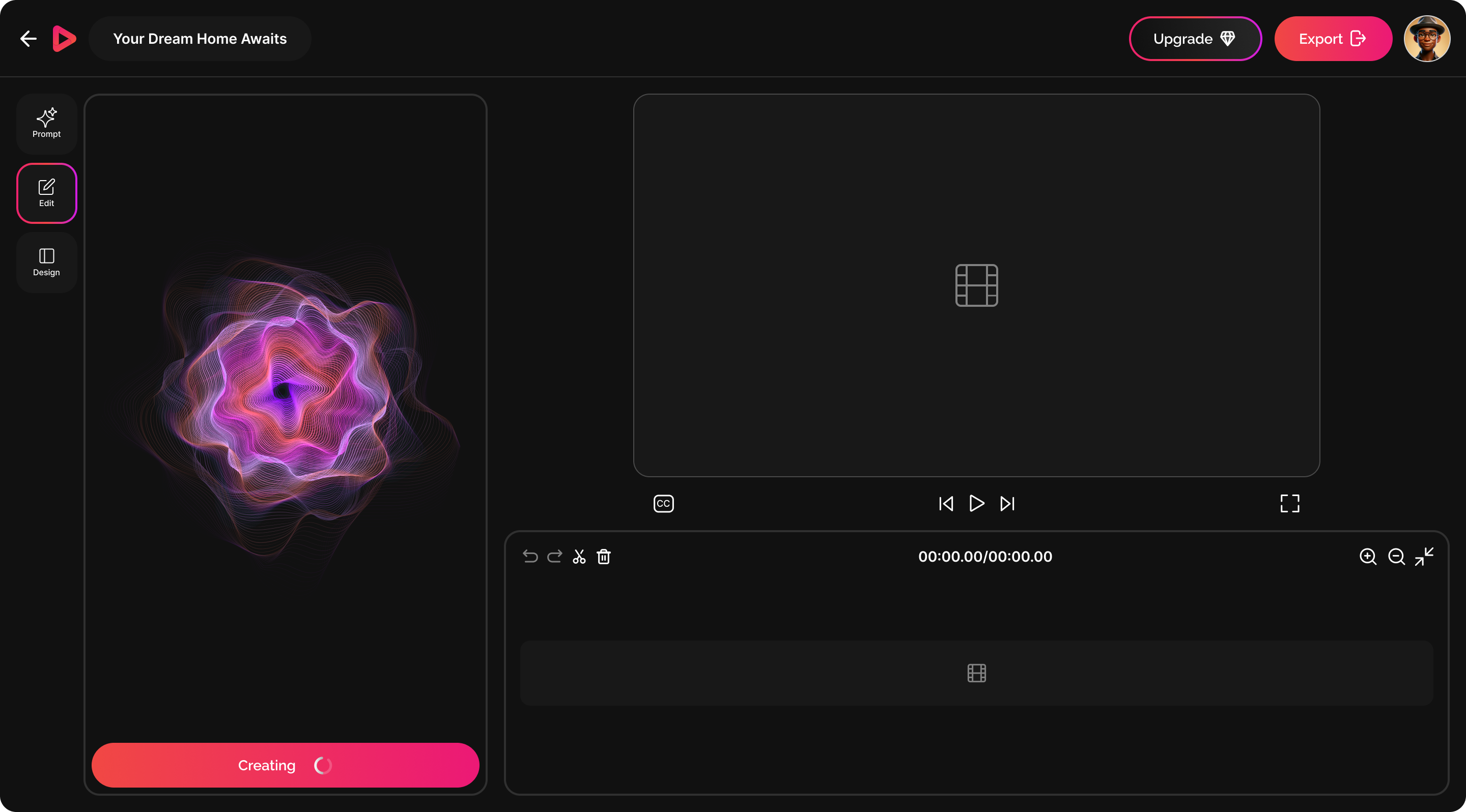
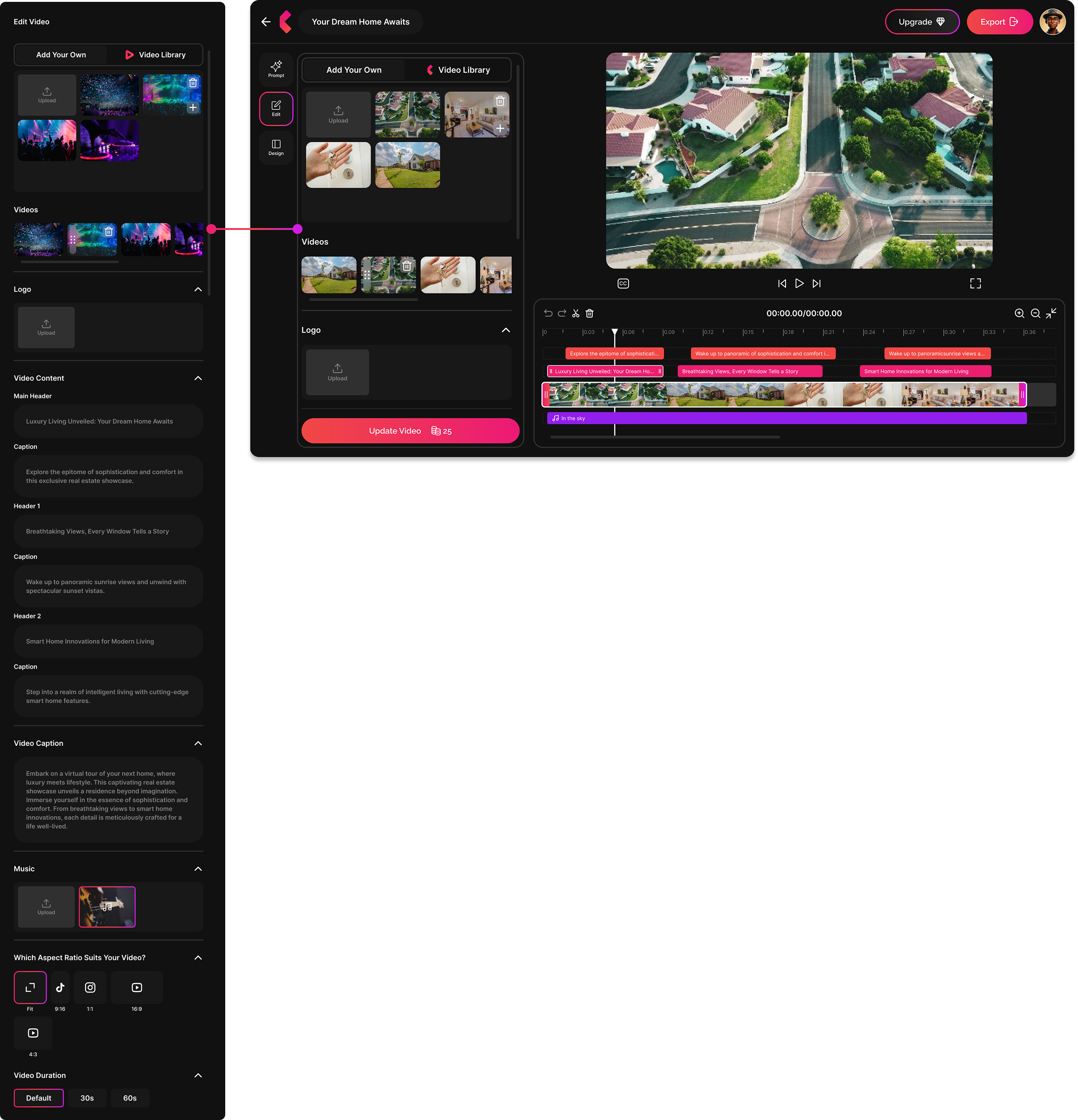
Edit Screen

A clean editor for tweaking the AI output. Replace clips, edit captions, change the audio, and adjust aspect ratio without any timeline complexity.
Edit screen

Preview Screen

See the full video before exporting. Everything in context before it goes out to a client or gets posted.
Preview screen

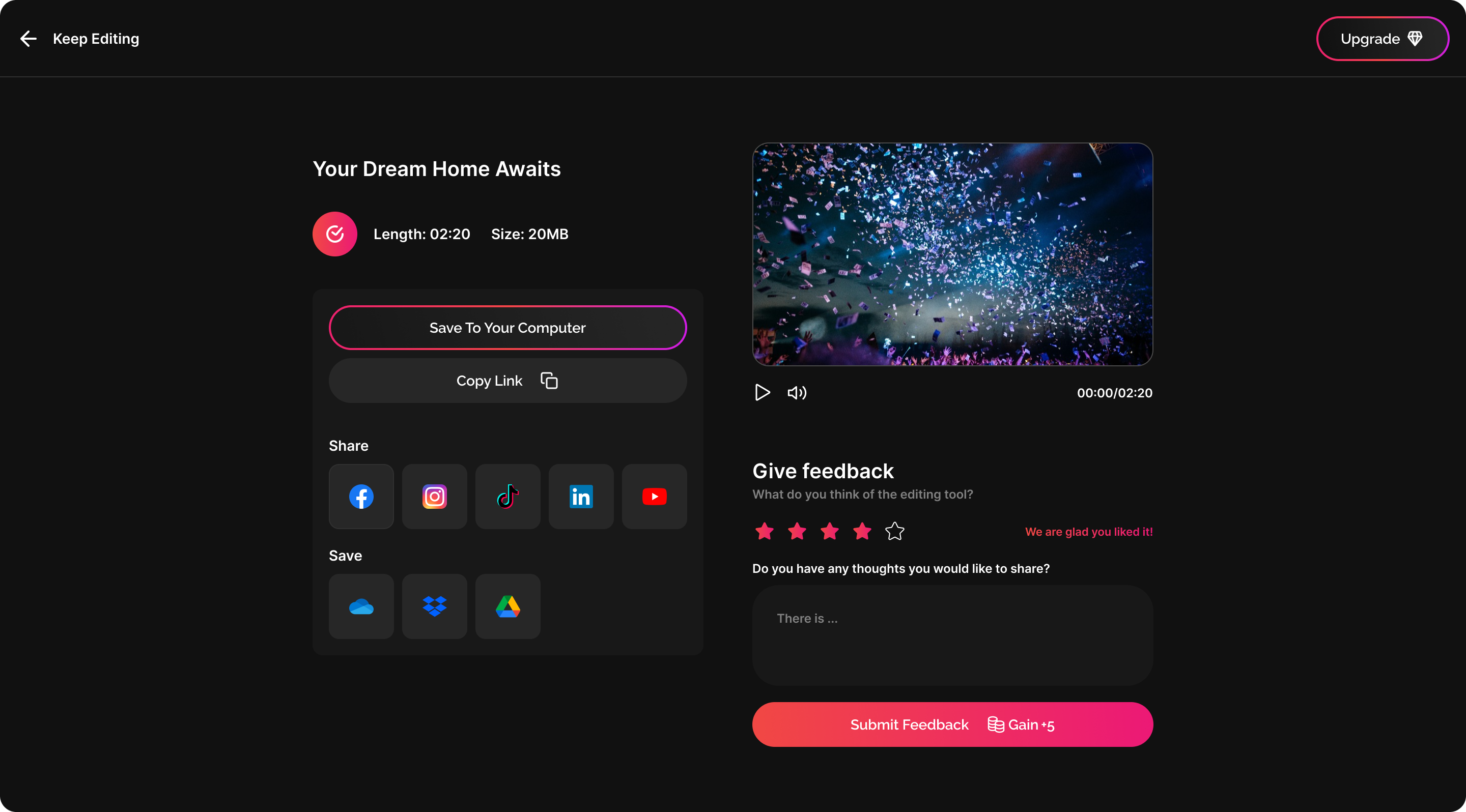
Export and Share

Save, share, or download in any format. Pick the platform and the file is ready to post. Feedback can also be submitted from this screen.
Export screen
All screens overview
3
Core screens: prompt, edit, and export
5m
From upload to a shareable short-form video
0
Editing skills needed to use the app
Next Project →

Kalvettu: Memorial Platform

05